mod overview
RFToolsBase
vunknown (Minecraft version not detected)
The base class for all RFTools tech mods (and XNet/Deep Resonance)
Adds 17 items, 12 recipes, 11 guidebook entries.
· MIT License https://github.com/McJtyMods/RFToolsBase/blob/1.16/LICENCE
Guidebook
Guidebook: Manual
Basics (5)
Found a Bug? 2 pages
If you've found a bug in one of my mods, please report it on one of these links! (Unless you found it in a modpack - in that case you'll want to report it to the pack makers first, so they can determine if it's a mistake on their end.)
Dimensional Shards 9 pages
Dimensional Shard Ore can be found underground in small clusters in various dimensions. It is affected by Fortune, and drops Dimensional Shards when broken.
These are used in several more complicated recipes, and can also be used to infuse machines.
These are used in several more complicated recipes, and can also be used to infuse machines.
Image: rftoolsbase:textures/manual/image_ore.png (not yet resolvable to a texture)
Some Dimensional Shard Ore underground in the Overworld.
Crafting:  Infused Diamond
Infused Diamond Dimensional Shards can also be used for the creation of a variety of Decorative Blocks.
If you had RFTools Dimensions, you could make some pretty cool decorative blocks, but you can't, oh well :(
Crafting: rftoolsdim:dimensional_blank_block, rftoolsdim:dimensional_block
Crafting: rftoolsdim:dimensional_small_blocks, rftoolsdim:dimensional_cross_block
Crafting: rftoolsdim:dimensional_pattern1_block, rftoolsdim:dimensional_pattern2_block
Crafting: rftoolsdim:dimensional_cross2_block
Machine Bases 4 pages
Machine Bases are similar to Machine Frames in that they are a crafting material, however the resulting machines are slightly different.
Machine Bases produce machines that are a quarter of a block high, and usually have some form of redstone output or input.
Machine Bases produce machines that are a quarter of a block high, and usually have some form of redstone output or input.
When you place one of these machines, the direction it faces is determined by which edge of the block your cursor is closest to.
It may help to imagine an X on the side of the block you are placing the machine on, then think about which 'quarter' of the X you're looking at.
The output will be facing this direction and the input will come from the opposite direction.
It may help to imagine an X on the side of the block you are placing the machine on, then think about which 'quarter' of the X you're looking at.
The output will be facing this direction and the input will come from the opposite direction.
This is particularly useful for placing these machines in cramped spaces or on walls - which is one of the more convenient features of these blocks.
Of course, if you don't like the direction the block is facing in, you can always Wrench it - just right-click with the wrench in Wrench Mode to change the direction it's facing in.
Of course, if you don't like the direction the block is facing in, you can always Wrench it - just right-click with the wrench in Wrench Mode to change the direction it's facing in.
Crafting: 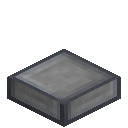 Machine Base
Machine Base The Machine Base does nothing on its own, but is used in many recipes as the base for other blocks.
Machine Frames 2 pages
Every machine or device needs some sort of housing, a frame, if you will. These do nothing on their own, but are a ubiquitous crafting ingredient.
Crafting: 

 Machine Frame
Modules 1 page
Various machines in the RFTools tech mods support modules. These are items that can be inserted in the machine to modify or provide functionalities. In most cases (when a machine supports modules) you can just right click with the module on the machine to insert it
Tools (4)
The Tablet 2 pages
The Tablet can be used to remotely access various machines. Sneak right click to open the internal tablet gui where you can install up to 6 modules. Right clicking the tablet will give you the gui of the current module. Using the and keys you can switch between installed modules
Note that to be able to access the remote machine it will have to be near enough or chunkloaded. If it is properly chunkloaded then the tablet will also work from another dimension
Crafting Card 2 pages
The Crafting Card is an item that can hold a recipe. It can be used for regular 3x3 recipes but also for more complex shapes. Various machines can use this card.
Note that stored recipes don't actually have to be valid. This card can also serve as a general way to represent 'inputs' and an 'output'
Note that stored recipes don't actually have to be valid. This card can also serve as a general way to represent 'inputs' and an 'output'
Image: rftoolsbase:textures/manual/image_craftingcard.png (not yet resolvable to a texture)
Filter Module 2 pages
The Filter Module is a very versatile item that can be used to whitelist or blacklist items for the machine. Various machines support this module (Builder, Modular Storage, Crafter, ...)
Blocks, items, and tags are supported. You can blacklist or whilelist and also require mathing on NBT and damage
Blocks, items, and tags are supported. You can blacklist or whilelist and also require mathing on NBT and damage
Sneak right click on an inventory (like a chest) to add all items/block in that inventory to the filter.
Sneak right click on a block in the world to add that block to the filter.
In the GUI of the filter module you can also add tags or convert a block/item to the corresponding tags
Sneak right click on a block in the world to add that block to the filter.
In the GUI of the filter module you can also add tags or convert a block/item to the corresponding tags
Smart Wrench 2 pages
The Smart Wrench can be used to easily remove tech blocks and also select blocks for special functionality.
Use as a normal wrench: Sneak right click to pick up and right click to rotate.
Right click in the air to change mode
Use as a normal wrench: Sneak right click to pick up and right click to rotate.
Right click in the air to change mode
Crafting:  Smart Wrench
Smart Wrench If the wrench is in Select Mode, then it can be used to perform specialized operations on (for example) blocks like the Shield Projector.
Machines (2)
Information Screen 2 pages
The Information Screen is a small screen that can be put adjacent to a machine in order to show some information. By default this screen will show energy information but some machines (like the PowerCells from RFTools Power) have additional viewing options
Using a wrench on the Information Screen will toggle display mode (if supported by the attached machine)
Infusing 7 pages
The Machine Infuser uses Dimensional Shards to improve the efficiency of a lot of machines. For most things, infusing them will reduce their power requirements. Some devices will have additional benefits from infusion.
Infusing the Infuser will cause it to use less power.
Infusing the Infuser will cause it to use less power.
Crafting: 

 Machine Infuser
See overleaf for additional uses for the Machine Infuser, depending on what other mods you have installed.
Environmental Controller Dialing Device Matter Receiver Matter Transmitter (+Speed) Spawner Matter Beamer (+Speed, -Items Needed) Screen Controller (+Range) Crafter
Storage Scanner
Coal Generator Endergenic (+Power Generated, less powerloss while holding pearls) Dimensional Cell (- Cost of extracting RF long distance, + RF/t output) Blazing Agitator (+Blazing Rod Quality) Blazing Generator (+Power Generated)
Researcher (+Speed) Dimension Builder (+Speed)
Shield Projector (+Damage) Builder (+Speed)
Ores (3)


Ingots & Materials (1)

Tools (2)

Machines & Other Blocks (2)

Other (9)


