
mod overview
Ad Astra
v1.15.20 for Minecraft 1.20.1
Live long and prosper, Ad Astra!
Adds 411 items, 576 recipes, 11 dimensions, 37 mixin modifications, 31 guidebook entries, 8 sound events.
by Alex Nijjar · Terrarium License
Modifies (37)
This mod modifies 37 vanilla systems.
adastra-common.mixins.json, adastra.mixins.json
net.minecraft.world.entity.Entitynet.minecraft.world.entity.LivingEntitynet.minecraft.world.entity.Mobnet.minecraft.world.entity.player.Playernet.minecraft.server.network.ServerGamePacketListenerImpl
Dimensions (11)
ad_astra:earth_orbit minecraft:noise
- Skylight
- No Ceiling
- No Ultrawarm
- Natural portal spawn
- Beds work
- No Respawn anchors work
- No Piglin-safe
- No Raids
ad_astra:glacio minecraft:noise
- Skylight
- No Ceiling
- No Ultrawarm
- Natural portal spawn
- Beds work
- No Respawn anchors work
- No Piglin-safe
- No Raids
ad_astra:glacio_orbit minecraft:noise
- Skylight
- No Ceiling
- No Ultrawarm
- Natural portal spawn
- Beds work
- No Respawn anchors work
- No Piglin-safe
- No Raids
ad_astra:mars minecraft:noise
- Skylight
- No Ceiling
- No Ultrawarm
- Natural portal spawn
- Beds work
- No Respawn anchors work
- No Piglin-safe
- No Raids
ad_astra:mars_orbit minecraft:noise
- Skylight
- No Ceiling
- No Ultrawarm
- Natural portal spawn
- Beds work
- No Respawn anchors work
- No Piglin-safe
- No Raids
ad_astra:mercury minecraft:noise
- Skylight
- No Ceiling
- No Ultrawarm
- Natural portal spawn
- Beds work
- No Respawn anchors work
- Piglin-safe
- No Raids
ad_astra:mercury_orbit minecraft:noise
- Skylight
- No Ceiling
- No Ultrawarm
- Natural portal spawn
- Beds work
- No Respawn anchors work
- No Piglin-safe
- No Raids
ad_astra:moon minecraft:noise
- Skylight
- No Ceiling
- No Ultrawarm
- Natural portal spawn
- Beds work
- No Respawn anchors work
- No Piglin-safe
- No Raids
ad_astra:moon_orbit minecraft:noise
- Skylight
- No Ceiling
- No Ultrawarm
- Natural portal spawn
- Beds work
- No Respawn anchors work
- No Piglin-safe
- No Raids
ad_astra:venus minecraft:noise
- Skylight
- No Ceiling
- No Ultrawarm
- Natural portal spawn
- Beds work
- No Respawn anchors work
- Piglin-safe
- No Raids
ad_astra:venus_orbit minecraft:noise
- Skylight
- No Ceiling
- No Ultrawarm
- Natural portal spawn
- Beds work
- No Respawn anchors work
- No Piglin-safe
- No Raids
Guidebook
Guidebook: Astrodux
Surviving Mars (10)
Detection 2 pages


The oxygen sensor is a block that will emit a redstone signal when it detects oxygen. You can shift-right-click it to invert the signal. Despite its name, you can also change its detection type by right-clicking with a wrench. It has the option to detect oxygen, safe temperature, and normal gravity.
Crafting: Oxygen Sensor
Flags 2 pages
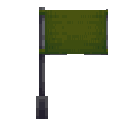
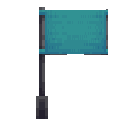
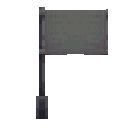
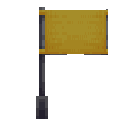
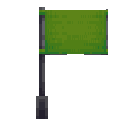 Lime Flag
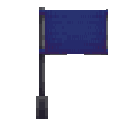
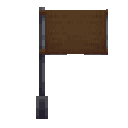
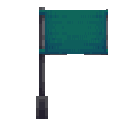
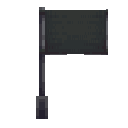
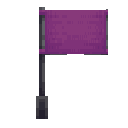
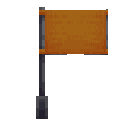
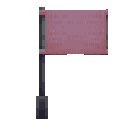
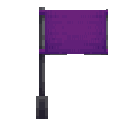
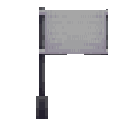
 Flags are decorative blocks available in 16 colors. By default, when placed, they will display the face of the flag owner. They can be configured to display a custom image from a URL by right-clicking and entering the URL in the GUI. This will display the internet image onto the flag.
Crafting: 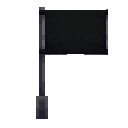 Black Flag
Black Flag Industrial Lamps 2 pages
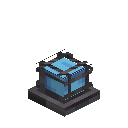 Small Blue Industrial Lamp
 Industrial lamps are available in all 16 colors, and in small and large sizes. By default, these will all emit normal white light; however, if you have Shimmer, each light will emit its respective color.
Crafting: 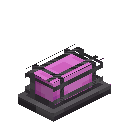 Magenta Industrial Lamp
Magenta Industrial Lamp Trophies 2 pages
 Earth Globe
 Globes are trophy blocks found as a reward at the end of a dungeon. Globes offer no practical function and are instead a decoration block. They can be spun around by right-clicking or can spin forever when powered by redstone. Only the Moon globe is obtainable in survival at the moment.
 Space Painting
 Space paintings are found in chests throughout dungeons. They work exactly like regular paintings but only place paintings from this mod. There are 14 pieces to look for.
Better Fuel 4 pages
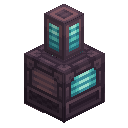 Cryo Freezer
 Fuel is hard to get; it requires venturing out to the ocean, looking for oil spouts. The Cryo Freezer introduces a new way to obtain a better fuel - Cryo Fuel. Cryo Fuel is much more efficient than refined fuel, allowing you to launch a rocket with just one bucket.
It's created by collecting ice shards, which are found as an ore underground on cold planets. The ice shard then needs to be inserted into a Cryo Freezer, and it will convert to 25 mB of Cryo Fuel. Alternatively, you can convert ice, packed ice and blue ice to fuel. Once you've made at least two buckets (one for a launch and the other for a return trip), place the buckets in the rocket fuel slot.
Crafting: Cryo Freezer
Cryo Freezer  Cryo Fuel Bucket
 In addition to being an excellent fuel, cryo fuel has some other features. When placed, it will damage anything inside, similar to lava. It also freezes water, allowing for an infinite ice source.
… and 5 more
Sliding Doors 4 pages
 Airlock
 Sliding doors are large 3x3 doors. They seal oxygen when closed, making them great candidates for airlocks. They can be locked by shift-right-clicking them with a wrench. Locked doors can only be opened with redstone.
Crafting:  Iron Sliding Door
Iron Sliding Door Crafting:  Desh Sliding Door
Desh Sliding Door Crafting: Airlock
Airlock Fluid Pipes 4 pages
 Ostrum Fluid Pipe
 Fluid pipes are similar to cables but with fluid transfer instead of energy transfer. To use them, craft some fluid pipes and a wrench. Then, right-click on one of the pipes with the wrench to cycle through the pipe's modes: 'none,' 'normal,' 'insert,' and 'extract.'
Crafting:  Desh Fluid Pipe
Desh Fluid Pipe Pipes with 'insert' set will receive fluid from the network, while pipes with 'extract' set will pump fluid into the network.
Crafting: Ostrum Fluid Pipe
Ostrum Fluid Pipe Crafting: 

 Fluid Pipe Duct
Like cables, fluid pipes also have a duct block for transfering fluids safely in and out of sealed structures.
Netherite Space Suit 3 pages
 Netherite Space Helmet
 The netherite space suit is an upgraded version of the standard space suit, featuring permanent fire resistance, more protection and the ability to survive on Venus and Mercury. Before you travel to these planets, you must craft the netherite space suit armour or else you will burn to death.
Crafting: Netherite Space Helmet
Netherite Space Helmet Crafting:  Netherite Space Pants
Netherite Space Pants Energizer 2 pages
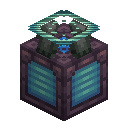 Energizer
 The energizer is a machine capable of powering items and storing large amounts of energy. To charge an item, power the energizer and then right-click on the energizer with that item. It stores 2 million energy, making it capable of charging machines for a very long time. It also retains its energy when broken.
Crafting: Energizer
Energizer Venus and Mercury 2 pages
 Calorite Ingot
 Once you have enough Ostrum to craft a complete netherite space suit set and all of the components of the tier three rocket, you can travel to Venus and Mercury. Please note that if you enter these planets without a netherite space suit or fire resistance, you will die very fast. The next material that you seek is Calorite.
Calorite is used to craft the ultimate rocket capable of travelling to a new solar system.
The Hot Planets (2)
Proxima Centauri 2 pages
Once you have found enough Calorite to craft a tier four rocket, you will be able to leave this solar system and enter a new one. The first planet that you will head to in Proxima Centauri is Glacio. Glacio is brutally cold; however, it has oxygen, allowing you to survive there without a spacesuit.
This is the end of the Ad Astra progression for now. This guidebook will be expanded as more content is added. Thanks for playing Ad Astra!
Jet Suit 4 pages
 Jet Suit Helmet
 The Jet Suit is an upgraded version of the Netherite Space Suit, with more protection, additional oxygen storage, and flight. It's expensive to craft, but it offers high-speed flight, making travel easy.
It's got two modes of flight: ascending () and boosted ( + ). Ascending makes the wearer fly upwards, while boosted is similar to an elytra that's constantly being propelled by fireworks. The Jet Suit is powered by energy and must be charged to fly. It can be charged with an energizer by right-clicking it with the jet suit. Enable/disable the suit by pressing ().
Crafting: Jet Suit Helmet
Jet Suit Helmet Crafting:  Jet Suit Pants
Jet Suit Pants The First Launch (10)
Fuel 4 pages
Even after you place your rocket, you will not be able to fly just yet. To fly, you will need to fill the rocket with fuel.
 Oil Bucket
 Oil is found in large amounts spouting over the ocean surface. Collect as much oil as you can, as oil is non-renewable, and you need a lot of it for each rocket launch.
 Fuel Bucket
 After collecting enough oil (at least six buckets for a launch and return), you will need to refine the oil into fuel. To do this, you will need to craft a fuel refinery. Power it, then place the oil in the left slot, and it will be refined into fuel.
Crafting: 

 Fuel Refinery
Shift-click on the rocket to open its inventory, then place three buckets of fuel into the input slot. Place the other three buckets into the rocket's inventory for a return trip.
Oxygen 5 pages
At this point, you can launch your rocket; however, you will likely die very fast, as there is no oxygen on the moon. In order to survive on the moon, you will need an oxygenated space suit and an ample oxygen supply.
Crafting:  Space Helmet
Space Helmet Crafting:  Space Pants
Space Pants  Oxygen Bucket
 To obtain oxygen, it must be extracted from water. An oxygen loader is required to do this. Craft one, then place water in the left tank, and watch it convert into oxygen. You must repeat this process many times until you have enough oxygen.
Crafting: 

 Oxygen Loader
Oxygen can then be extracted by collecting it in a bucket, spacesuit, or a gas tank. After you have enough oxygen, you are moments away from launching your first rocket!
Making Steel 3 pages
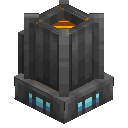 Etrionic Blast Furnace
 The Etrionic Blast Furnace is an upgraded version of the blast furnace. It has two modes: blasting and alloying. Blasting works like a blast furnace, but with 4 slots for 4x efficiency. Alloying combines materials to make an alloy.
Crafting: Etrionic Blast Furnace
Etrionic Blast Furnace  Steel Ingot
 Steel is made in an etrionic blast furnace by combining iron and coal. This will make 1 steel ingot per iron and coal. Steel is essential for most recipes and is the main material of your first rocket.
Preparing to Launch 2 pages
Follow these steps very carefully! Missing even one thing here could make your life tough, or worse, cause you to be stranded on the moon!
In order to return to earth from the moon, you need two basic things: a launch pad and three buckets of fuel.
In order to return to earth from the moon, you need two basic things: a launch pad and three buckets of fuel.
Place these items in the inventory of your rocket, and ensure that you always have them every time you launch a rocket. Finally, you should bring multiple full gas tanks, plentiful food, soul torches or glowstone (normal torches will burn out), weapons and tools. Once you have this, you are ready to launch! Enter the rocket and press !
Creating Plates 2 pages


Once you've got energy, you'll want to craft a compressor. This machine can compress ingots and blocks into plates, which are needed to craft many things.
Crafting: Compressor
… and 5 more
Radio 2 pages
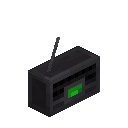 Radio
Radio Before launching, why not listen to some tunes? The radio is a block that'll play real internet-streamed radio stations! There are a few stations that you can listen to, in multiple genres. In addition, anyone in the vicinity will hear the same station. Eventually, you'll be able to use the radio to craft the rover, which features a built-in radio for driving around and listening to music.
Crafting: Radio
Radio Generating Energy 2 pages


Energy is core resource of Ad Astra. It's used in all machines and is required for everything. There are multiple ways to generate energy, the most basic way being the coal generator. It uses burnable resources like wood or coal to generate energy.
Crafting: Coal Generator
Your First Rocket 4 pages
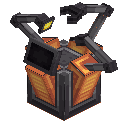 Nasa Workbench
 In order to build a rocket, you must first collect all of the parts: cone, plates, fins, tanks and engine. You can then make the rocket in a NASA workbench, a specially designed workbench just for rockets.
Crafting: Nasa Workbench
Nasa Workbench Structure: Unnamed structure (structure preview not yet rendered)
To place your newly-created rocket, you must build a launchpad.
Crafting:  Launch Pad
Launch Pad After the launch pad has been built, place the rocket in the center. If you want, you can power any part of the launch pad to automatically launch the rocket once fueled.
Portable Resources 4 pages
 Gas Tank
 Oxygen tanks allow you to store oxygen in a convenient portable form. Despite the name, they can store any fluid. Holding down right-click will distribute the oxygen into items in your inventory, with a bias towards armor.
Crafting: Gas Tank
Gas Tank  Etrionic Capacitor
 The Etrionic Capacitor is a battery-like item for storing energy in a portable form. It can be placed in the energy slot of machines to power them, and like the gas tanks, can be distributed into your inventory by holding down right-click. It features two modes: Sequential and Round Robin. Sequential will distribute energy one by one while Round Robin will distribute energy evenly. The mode can be changed by right-clicking while sneaking.
Crafting: Etrionic Capacitor
Etrionic Capacitor The Moon 3 pages
 Desh Ingot
 Congratulations on reaching the moon! The moon is a barren wasteland, grey and dead, as far as the eye can see; however, underground is where you will find the next major resource in Ad Astra - Desh! Desh is used to craft advanced machines, space stations, and the tier two rocket.
The environment of the moon is very different from earth. As the moon has no oxygen and is freezing, attempting to place water will freeze it and lit blocks like torches will break. Any plant life and crops will also die very quickly. To combat these effects, you can build an oxygen distributor, which will we cover later.
To return back to earth, open your lander (shift + right-click) and collect the rocket, fuel and the launch pad. To remove the lander, punch it. Set up the launch pad, place the rocket down and fill it up with fuel. Press and fly back to earth.
The Moon (9)
Ti-69 2 pages
Gravity Normalizer 2 pages
Gravity Normalizer The gravity normalizer allows you to create artificial gravity in a sealed area, similar to the oxygen distributor. It features a slider to set the target gravity – from 0-G to 2-G. Gravity normalizers use a considerable amount of power to operate so avoid them if your structure does not need it.
Crafting: Gravity Normalizer
Gravity Normalizer Oxygen Distributor 7 pages
Oxygen Distributor The oxygen distributor is a powerful machine that distributes oxygen in a sealed room, allowing any life inside to survive. It works exactly like an oxygen loader, where you insert water into the tank, but instead of giving you oxygen, the oxygen is distributed into the air.
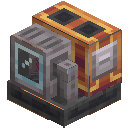 Water Pump
 The water pump is essential for keeping the oxygen distributor running infinitely. To use it, place an infinite water source below, then place the water pump above one of the water blocks, and then place the oxygen distributor adjacent to it. Make sure to supply both the pump and the oxygen distributor with sufficient power.
Crafting: Oxygen Distributor
Oxygen Distributor Once you have supplied the oxygen distributor with an infinite water source, sufficient energy and a completely sealed room, it will distribute oxygen in that room. To check that oxygen is being distributed, click "show" in the distributor GUI. If the room is highlighted, that means that the oxygen has been successfully distributed.
If there is a hole in your structure that is causing oxygen to escape, the distributor GUI will provide a warning. Patch the hole to avoid unnecessary power draw and oxygen usage. After that, you should be able to take off your oxygen suit and survive. Each oxygen distributor can support up to 6,000 blocks, allowing you to build a moderately sized space station or base. If you need more, you can place more oxygen distributors.
Inside your oxygenated structure, you should provide proper ventilation to ensure that oxygen does not get blocked when a door is closed. To do this, you can create a one-block gap in between walls or use a vent block to allow oxygen flow.
When your structure is fully sealed, and a hole is created, your structure will rapidly depressurize. This can be a catastrophic event. All entities inside will be violently sucked out of the hole and die without a space suit. The oxygen distributor will also rapidly drain oxygen and power. Avoid this by patching holes as soon as possible and by preventing accidental holes from being created.
Lunarians 5 pages


Throughout the moon, There are large, inhabited underground villages. These villages contain an alien form of the earth villager, who call themselves Lunarians. Unlike their earth counterpart, Lunarian don't need oxygen and can survive the chilling environment of the moon.
Unrecognized page type: patchouli:entity
Lunarian have different trades than earth villagers, featuring planet-specific materials, space suits and oxygen gear.
 Lunarian Wandering Trader Spawn Egg
 Lunarian Wandering Traders appear on every moon and planet. They have many rocket-related trades that may save your life, including launch pads, oxygen, fuel, soul torches and water. They accept emeralds, which are commonly found in the various structures on the moon and planets.
Unrecognized page type: patchouli:entity
Rover 4 pages
Tier 1 Rover The rover is a land vehicle capable of driving on the rough terrain of moons and planets. It's exceptionally fast, has an inventory capable of storing 16 items and has two seats for multiple riders. You can also run over mobs and deal some serious damage. To use it, fill the rover with fuel (shift-click and place fuel buckets in the left input slot).
Unrecognized page type: patchouli:entity
Crafting: Tier 1 Rover
Tier 1 Rover The rover has a built-in radio for playing real internet streamed radio stations. Use it by interacting with the radio on the rover or by pressing (). If multiple players are in the rover, they'll hear the same radio as well.
… and 4 more
Space Station 6 pages
A space station is a pre-built structure that is created in the planet screen, provided you have the necessary materials. Space stations are always located in a moon or planet's orbit and provide the ability to place blocks in that orbit dimension.
Space stations are designed to be expanded upon, allowing you to build the base of your dreams over a moon/planet. All of your space stations are present in the planet screen. Other players are not able to spawn new space stations in the same area as yours, so your structure is safe.
Physics in space are very different from earth. In this zero-gravity environment, you'll float around and not be affected by gravity or friction. This can make it difficult to move around. One tool that can help you is the zip gun. This takes oxygen and will rapidly consume it to propel you forward. This allows you to move around in space. Careful to control your speed. As there's no friction, you can go flying out and get lost.
Crafting:  Zip Gun
Zip Gun If Cadmus is installed, the 3x3 chunks in your space station will be claimed. In addition, players will not be able to create new space stations in any of your claimed chunks.
If Argonauts is installed is installed, other players in your party or guild will be able to land at your space station, and you'll be able to land at theirs.
Cables 5 pages
 Desh Cable
 Cables allow for long-range energy transfer. There are two variants: steel and desh – desh, having a higher transfer rate. When used with a wrench, cables can be configured to extend in directions or to disconnect from nodes in the network.
Crafting:  Steel Cable
Steel Cable Crafting:  Wrench
Wrench Cables are not solid blocks. As such, they will not seal a structure which prevents oxygen distributors and gravity normalizers from functioning. The cable duct is a full block that works exactly like cables while preventing leaks.
Crafting: 

 Cable Duct
Mars 2 pages
Now that you have explored the moon and worked with desh, you want to take it further and go to the red planet. Building a tier two rocket capable of travelling to Mars is similar to building the tier one rocket, but with desh materials instead of steel. Construct the parts, build the rocket in the NASA workbench, fuel it up, and off you go to Mars!
 Ostrum Ingot
 Ostrum is the next material that you seek on the red planet. It is used to craft more powerful space armour, build exceptional machines and to construct a rocket capable of withstanding extreme heat, allowing you to travel to hot planets.
Solar Panel 2 pages
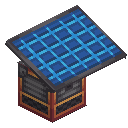 Solar Panel
 The solar panel is an upgraded version of the coal generator, producing more energy per tick while being self-reliant. Its power generation depends on the planet's distance from the sun and fog. Because of this, it is more efficient to place solar panels close to the sun. Solar panels also produce more energy in orbit, as there is no atmosphere blocking the light.
Audio & Visual
8 sound events
ad_astra:rocket_launch subtitles.ad_astra.entity.rocket_launch
ad_astra:rocket subtitles.ad_astra.entity.rocket
ad_astra:wrench subtitles.ad_astra.block.wrench
ad_astra:sliding_door_open subtitles.ad_astra.block.sliding_door_open
ad_astra:sliding_door_close subtitles.ad_astra.block.sliding_door_close
ad_astra:oxygen_intake subtitles.ad_astra.entity.oxygen_intake
ad_astra:oxygen_outtake subtitles.ad_astra.entity.oxygen_outtake
ad_astra:gravity_normalizer_idle subtitles.ad_astra.entity.gravity_normalizer_idle
4 particle types
ad_astra:acid_rain
ad_astra:large_flame
ad_astra:large_smoke
ad_astra:oxygen_bubble
Ores (21)


Ingots & Materials (25)


Tools (1)
Armor (6)


Stairs (37)
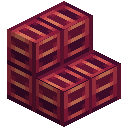
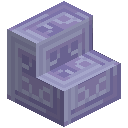
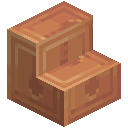
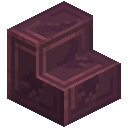
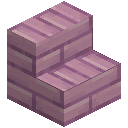
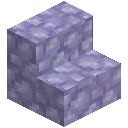
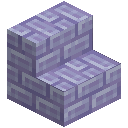
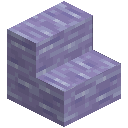
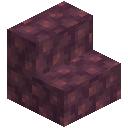
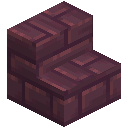
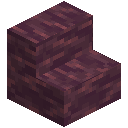
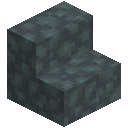



Walls (6)

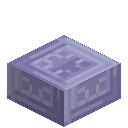
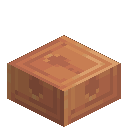
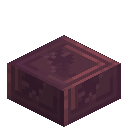
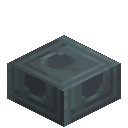
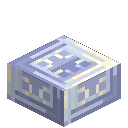
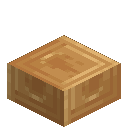
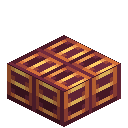
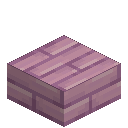
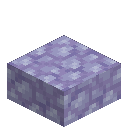
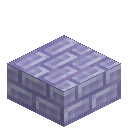
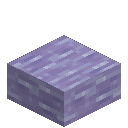
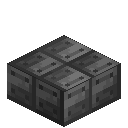
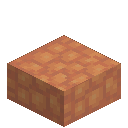
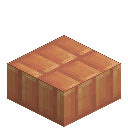
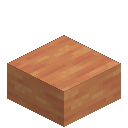
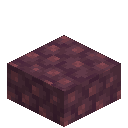
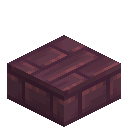
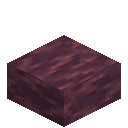
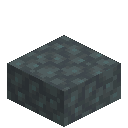
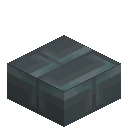
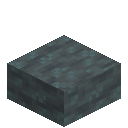
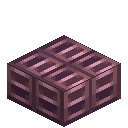
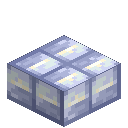
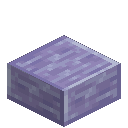
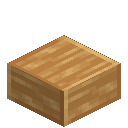
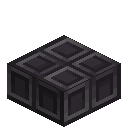
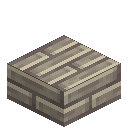
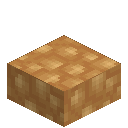
Slabs (37)

Fences (6)
Doors (10)


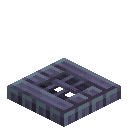
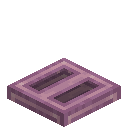
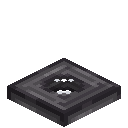
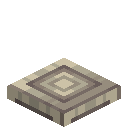
Trapdoors (4)
Spawn Eggs (12)


Machines & Other Blocks (200)































Other (46)


